Working From Home with Chronic Illness: How to Set Up Your Space, Protect Your Energy, and Actually Sustain It
The content on this site was created with the help of AI. LOVEOWE LLC participates in the Amazon Services LLC Associates Program and other affiliate programs. As an Amazon Associate, I earn from qualifying purchases. This means I may earn a small commission—at no extra cost to you—when you make a purchase through links on this site. All opinions are my own. Learn more click here. Thank you for your support!
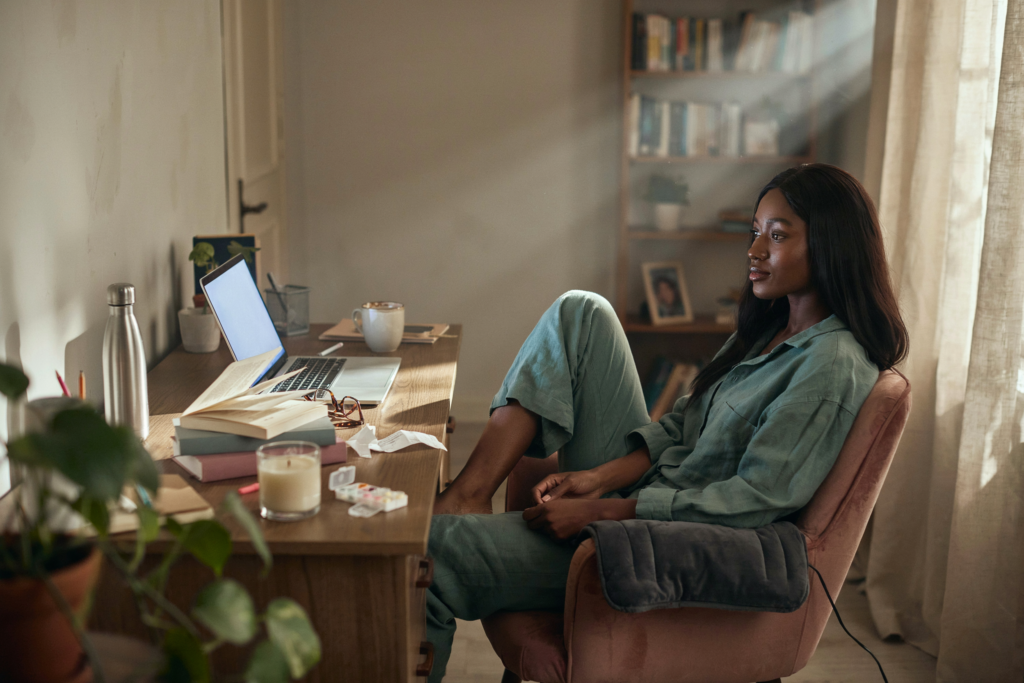
The fantasy of working from home with chronic illness is that the proximity to your own bed, your own kitchen, your own heating pad and medication and carefully arranged comfort will make everything easier. That removing the commute and the fluorescent office lighting and the explaining yourself to colleagues will free up enough energy to actually do the work well. That being home will be the accommodation you needed all along.
The reality is more complicated than that. Working from home with chronic illness is better than the alternative in many of the ways you imagined it would be. And it introduces a set of problems nobody warned you about — the way the workday bleeds into the rest day until neither is fully either. The way the absence of external structure removes the scaffolding that was holding your day together even as it was costing you. The way the home that is supposed to be your healing space becomes the place where you are also always at work, always available, always one notification away from the rest you were supposed to be taking. The way guilt operates with no commute to separate you from what you didn’t finish.
I have worked from home with chronic illness for long enough to have made most of the mistakes and found most of the adjustments. The setup that made the pain worse before I understood what my body needed from a workspace. The schedule that looked reasonable on paper and was catastrophic in practice. The boundaries that existed in theory and evaporated the moment someone needed something. The slow, iterative work of building a work-from-home life that is genuinely sustainable — not just surviving the workday but finishing it with something left for the rest of the day, the evening, the self that exists outside of what gets produced.
This post is what I know now. It covers three things that every chronically ill person working from home needs to get right: the physical setup, the energy management system, and the boundaries and tools that make both of those things sustainable across the full range of days your illness produces. Sixteen products across four affiliate sections, all of them chosen for the specific demands of working from home with a body that requires more management than the average workday was designed to accommodate.
Why Working From Home with Chronic Illness Is Its Own Specific Challenge
Working from home is not simply the office moved into a different building. It is a fundamentally different relationship between work and life, between productivity and rest, between the self that performs capability for an employer and the self that is managing an illness that the employer may or may not fully understand. For people without chronic illness, the challenge of working from home is primarily about focus, motivation, and the maintenance of professional boundaries in a domestic environment. For people with chronic illness, those challenges are present and compounded by several others that are specific to managing a condition while also managing a career.
The first is the invisibility problem. When you work in an office, colleagues observe your presence and draw conclusions about your capacity. When you work from home, your colleagues observe your output and draw conclusions about your capacity — which means that the days you rest, pace yourself, work horizontally for an hour, or stop at 3pm because continuing would cost you tomorrow, are invisible in ways that create their own pressure. The pressure to produce at a consistent rate regardless of what the body is doing. The pressure to always be available because being home implies being available. The pressure to prove that working from home is not a workaround for working less when for you it is a genuine medical accommodation that allows you to work at all.
The second is the boundary collapse. The home that is your healing space and the home that is your workspace are the same home, and keeping them functionally separate requires deliberate effort that healthy people working from home also struggle with and chronically ill people struggle with more acutely. When rest and work occupy the same space, neither is fully itself. The bed that is also near the desk is never fully the place of rest. The desk that is also near the bed is never fully the place of work. The collapse of those boundaries does not just affect productivity — it affects recovery, which for chronic illness is not optional.
The third is the energy accounting problem. Chronic illness requires constant energy accounting — the pacing, the prioritizing, the management of a resource that is both finite and unpredictable. Working from home adds a layer to that accounting that is easy to underestimate: the work itself costs energy, and that cost comes from the same account that managing the illness draws from. On a good day, the account is large enough to cover both. On a hard day, every hour of work is an hour not available for rest, and the decision about how to allocate what you have is one that most workplace structures are not designed to accommodate or even acknowledge.
Getting this right requires more than a good desk chair. It requires a setup, a system, and a set of tools that address all three of these challenges simultaneously — the physical environment, the energy management, and the boundary structure that allows both to function across every kind of day your illness produces.
The Physical Setup: A Workspace That Supports the Body Doing the Work
The home office for chronic illness is not the home office of productivity content — the standing desk, the multiple monitors, the aggressively optimized ergonomic configuration designed for someone whose body can sustain eight hours of focused work. It is a workspace designed around a different set of requirements: the ability to shift positions throughout the day as the body dictates, the capacity to apply heat or cold or elevation or support without leaving the workspace, the sensory environment calibrated to what the nervous system can sustain rather than what the productivity literature recommends.
Position flexibility is the most important structural principle. A body with chronic pain cannot sustain a single seated position for eight hours without significant cost — but the solution is not a standing desk that simply replaces one static position with another. The solution is a workspace that accommodates the full range of positions the body needs throughout a day: seated upright for focused work, reclined with a lap desk for calls or reading, lying down for the hour in the afternoon when horizontal is the only option that allows continuing at all. A workspace designed around position flexibility keeps you working on the days that would otherwise be complete write-offs, because it acknowledges that the body’s requirements change throughout the day and builds space for that change rather than demanding compliance with a single configuration.
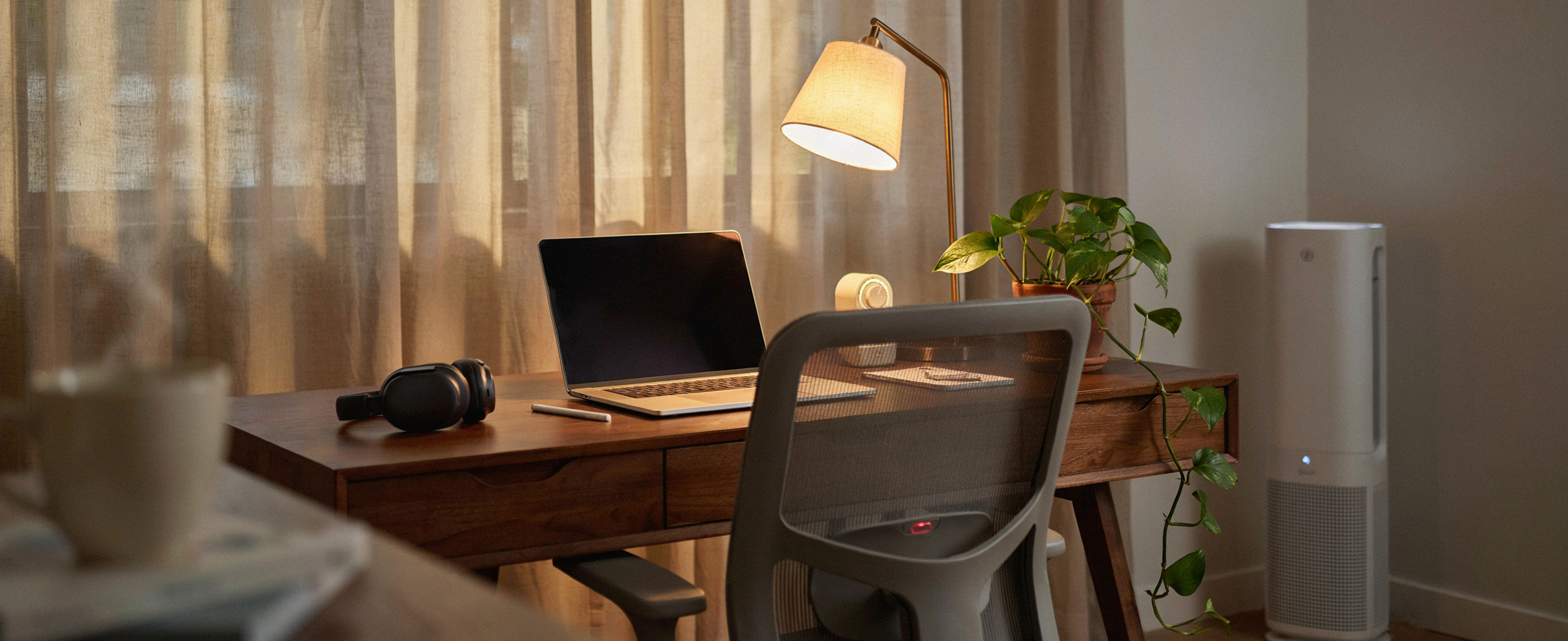
Sensory management is the second structural principle. The home office exists inside the home, which means you control its light, sound, temperature, and air quality in ways that an office environment never allows. Use that control deliberately. Warm, dimmable lighting rather than overhead fluorescents. A door or a divider that creates acoustic separation from the rest of the home. Temperature control that responds to the body’s needs rather than a building-wide thermostat. These are not comfort upgrades. For a nervous system managing chronic illness, they are the difference between a workspace that is sustainable and one that adds to the sensory load the body is already carrying.
The Workspace Edit: Ergonomic and Flexible Tools for a Body That Changes Throughout the Workday
These four address the physical infrastructure of a chronic illness home office — the tools that make position flexibility possible and reduce the physical cost of a full workday for a body that is already managing more than the work.

The lap desk is the piece of equipment that makes horizontal working possible — which makes it, for many chronically ill people, the most important piece of equipment in the entire home office. A quality lap desk with a cushioned base, a device ledge for a secondary screen or phone, and a flat surface large enough for a full keyboard allows genuine work from a reclined or lying position on the days when sitting upright for a full day is not what the body has available. Keep it on the bed or the sofa within reach of where you rest. It is the tool that turns a rest day into a partial work day and a work day into something that does not end in complete depletion.

For people who do work from a desk for significant portions of the day, a sit-stand converter that adjusts between seated and standing positions throughout the day reduces the compressive load of sustained sitting without requiring the full commitment to a standing desk configuration that can be equally problematic for conditions affecting the legs, feet, or joints. The electric adjustment means changing positions requires pressing a button rather than manually cranking a mechanism — relevant when hand pain, fatigue, or limited grip strength makes manual adjustment an additional cost rather than a neutral one. Dual monitor capability keeps the full workspace functional across positions.

Keyboard choice matters more for chronic illness than most workspace guides acknowledge. A low-profile keyboard with well-spaced, responsive keys reduces the wrist extension angle and the finger force required for sustained typing — both of which are significant factors for people managing hand pain, arthritis, carpal tunnel, or any condition affecting grip and fine motor precision. The Logitech MX Keys connects to three devices simultaneously and switches between them with a button, which matters for people whose work spans multiple devices throughout the day. The rechargeable battery eliminates the cable that creates desk clutter and restricted movement. Backlit keys work for the low-light working conditions that migraine and light sensitivity sometimes require.

Monitor height is the most consistently incorrect element of home office setups and one of the most significant contributors to neck, upper back, and shoulder pain during sustained computer work. A monitor arm allows precise adjustment of screen height, depth, and angle — positioning the monitor at eye level regardless of whether you are sitting upright, reclined in the chair, or working from a different height position. The ability to reposition the monitor as body position changes throughout the day is the specific feature that makes a monitor arm valuable for chronic illness rather than simply ergonomically correct. Remove the clutter of the monitor stand from the desk surface simultaneously.
Energy Management: The System That Makes Working Sustainable Rather Than Depleting
Energy management for chronically ill people working from home is not time management. Time management assumes an available resource that simply needs to be allocated efficiently. Energy management for chronic illness operates on a different premise: the resource is variable, is depleted by factors outside the work itself, is not fully replenishable within a single day, and must be treated as something closer to a budget than a schedule — spent deliberately rather than allocated by the clock.
The most useful framework for chronic illness energy management at work is task tiering — categorizing every work task by the type and level of energy it requires, and matching tasks to the energy state of the moment rather than to a predetermined schedule. High-cognitive tasks — writing, analysis, creative work, complex problem-solving — require a specific kind of mental energy that is available in finite windows and cannot be manufactured by pushing through fatigue. Low-cognitive tasks — responding to straightforward emails, administrative work, filing, scheduling — can often be completed in states of moderate fatigue that would make high-cognitive work impossible. Physical tasks — video calls that require sustained visible presence, anything that requires moving through the home repeatedly — have their own energy signature that may or may not align with what the body has at a given time.
Tiering tasks and matching them to energy states means that a two-hour window of genuine cognitive capacity produces better work than six hours of pushing through fatigue, and that the lower-energy periods of the day are used for work rather than wasted in the specific exhausting effort of trying to do high-cognitive work with a brain that is not currently capable of it. It also means that the workday has a shape that accommodates rest without abandoning productivity — the hard work in the good hours, the lighter work in the harder ones, and genuine rest in the windows where rest is what the body needs rather than a compromise the work is forcing.
The Energy Management Edit: Tools That Help You Track, Pace, and Protect What You Have
These four address the energy management layer of working from home with chronic illness — the tools that make pacing visible, keep focus contained to what is actually sustainable, and protect the rest that makes the next workday possible.

The time timer is the physical manifestation of the Pomodoro technique adapted for chronic illness pacing — a visual countdown that shows exactly how much time remains in a work block without requiring you to check a clock or a phone. For people with chronic illness, working in defined blocks with defined rest periods is not a productivity technique. It is pacing — the management of sustained effort in a way that does not overdraw the energy account in the first half of the day and leave nothing for the second. A silent visual timer removes the auditory distraction of ticking while keeping the time boundary visible. Set it for twenty-five minutes of work and ten of rest. Set it for whatever your body’s sustainable work block is. Let it hold the boundary so you do not have to.

The chronic illness work planner is not a standard productivity planner — it does not have hourly time blocks that assume consistent capacity across the full workday. An undated weekly planner allows you to define the structure of each week based on what the body is actually doing rather than a fixed template. Use it for task tiering — writing the high-cognitive tasks where you intend to place them in the good hours, the lighter tasks in the harder ones — and for tracking the energy patterns that emerge across weeks, which eventually reveal the predictable rhythms in your capacity that most people with chronic illness have but have never systematically observed. The hardcover lies flat without a hand holding it, which matters for note-taking from positions other than fully upright at a desk.

The readiness score — a daily metric that synthesizes sleep quality, heart rate variability, body temperature, and activity data into a single number representing how recovered the body is — is one of the most useful tools available for chronic illness energy management because it makes objective what is otherwise a subjective and difficult-to-communicate assessment of capacity. A low readiness score on a Monday morning is information that changes how the week is planned — it surfaces the low-energy day before the body has reached its limit rather than after. For people whose illness involves significant day-to-day variability in capacity, having an objective baseline measurement that can inform work planning without requiring the cognitive overhead of self-assessment in a brain fog state is genuinely valuable.

For the home office that shares space with other people, household noise, street sound, or any of the ambient sound that a dedicated office building filters by virtue of its construction — noise-canceling headphones create the acoustic environment of a private office without a private office. For people with noise sensitivity, this is not a productivity tool. It is a sensory management tool that reduces the cognitive cost of filtering unwanted sound throughout the workday — a cost that, for chronically ill people, comes from the same account as the work itself. The Sony WH-1000XM5 offers the most effective noise cancellation currently available in a consumer headphone, with enough battery life for a full workday and a comfort fit designed for extended wearing.
The Boundary Structure: Separating Work and Rest When They Live in the Same Space
The boundary problem in chronic illness home working is not a willpower problem. It is a design problem. The boundaries that prevent work from consuming rest and rest from being contaminated by the proximity of work need to be built into the structure of the environment and the day rather than maintained by ongoing personal effort — because personal effort is already allocated, and adding the effort of maintaining work-life separation to the effort of managing an illness and doing the work itself is a recipe for the kind of depletion that takes days to recover from rather than hours.
Spatial boundaries are the most effective and the most underused. Even in a one-room apartment or a home without a dedicated office, a physical workspace that is distinct from the rest space creates a psychological separation that reduces the contamination of both. A desk in a corner with a specific lamp that is on during work hours and off during rest. A folding screen that separates the workspace visually from the bed. A specific chair that is the work chair — not the rest chair, not the reading chair, the work chair — that signals to the nervous system a state shift when you sit in it and a different state shift when you leave it. These delineations do not require square footage. They require intention applied to the space you have.
Temporal boundaries are the second layer. A defined end to the workday — not a flexible end that moves with notifications and the availability that working from home implies, but a fixed end that the body knows is coming — allows the nervous system to begin downregulating toward rest before the end of the day rather than remaining in work-activation state until something external forces the transition. For chronic illness, that downregulation window is not optional. It is the transition that makes rest actually restful rather than simply the absence of active work.
Communication boundaries are the third layer — and the one most likely to require explicit advocacy with employers, colleagues, and the people in the home. The expectation that working from home means being continuously available is one of the most damaging assumptions that chronically ill remote workers encounter, and addressing it requires clarity about what availability actually means, what the workday structure looks like, and what the impact of continuous availability on a body managing chronic illness actually is.
Setting boundaries at work is self-advocacy. Having the script for the conversation makes it possible.
If you have ever needed to explain to a manager, a colleague, or an HR department what working with chronic illness actually requires — what accommodations are genuinely necessary, what availability realistically looks like, what the cost of ignoring those boundaries actually is — Say This: 30 Scripts for Chronic Pain Communication has the language. Thirty ready-to-use scripts for thirty hard conversations, including the workplace ones that feel the most fraught and matter the most. Because advocating for yourself at work is a skill, and you deserve to have it.
The Comfort and Recovery Edit: Tools That Support the Body Through the Workday and After It
These four address the physical comfort and recovery layer of working from home with chronic illness — the tools that reduce the body’s pain and fatigue cost during work hours and support genuine recovery in the hours that follow.

For the hours of sustained seated work that remain in a chronic illness workday despite position flexibility and pacing — a high-quality ergonomic seat cushion reduces the compressive load on the coccyx, sitting bones, and lumbar spine that accumulates across a full day at a desk. Cushion Lab’s pressure-relief design uses a specific foam density calibrated to distribute weight broadly rather than allowing it to concentrate at pressure points, with a coccyx cutout that eliminates direct tailbone pressure. The difference between a workday spent on a standard desk chair and one spent on a quality ergonomic cushion is measurable in how much of the afternoon’s pain budget is consumed by the morning’s work.

A chair-mounted massager with heat addresses the neck and upper back tension that accumulates from sustained computer work in a way that can be applied during the workday rather than only after it — which means the tension is managed as it builds rather than addressed at the end of the day when it has compounded into something that requires more recovery time. The heat function activates independently from the massage function for days when vibration is not tolerable but warmth is. Straps to any chair back without installation. Use it during calls, during reading tasks, during any portion of the workday when the hands are not required on the keyboard.

For the muscle tension and pain that localize during sustained work in specific areas — the trapezius muscles that carry the weight of a desk posture, the forearms and hands that bear the repetitive strain of typing, the lower back that holds a seated position — a percussive therapy device used during work breaks addresses the accumulation before it becomes the thing that ends the workday. The Theragun Mini is compact enough to keep on the desk, quiet enough to use during a call without being audible to the other party, and requires one hand to operate against the other arm or accessible back areas. A ten-minute work break with the Theragun mini can change the trajectory of the afternoon in a way that pushing through the tension cannot.

The weighted heating pad is the home office tool that the office building could never have provided and that working from home makes possible every single day. Twelve pounds of gentle weight across the lap, the lower back, or the shoulders simultaneously delivers deep pressure stimulation — activating the parasympathetic nervous system — and targeted heat therapy to whatever is hurting during work hours. Dry heat for standard pain management, moist heat for deeper muscle and joint penetration on high-pain days. The weight keeps it in position without requiring adjustment during the work session. Keep it draped across the chair during the workday. Apply it where it is needed. Work through what would otherwise be a non-work hour.
The Home Office Environment: Sensory Design for a Nervous System That Is Already Working
The sensory environment of the home office matters in ways that standard workspace design completely ignores, because standard workspace design was not built for people managing chronic illness and the nervous system dysregulation that frequently accompanies it. The overhead light that is fine for a healthy colleague is a migraine trigger for you. The ambient noise of the household that a healthy remote worker filters automatically requires active cognitive processing for a nervous system already managing pain signals. The temperature that a building-wide thermostat sets without consideration for individual physiology is the wrong temperature for a body whose thermoregulation has been compromised by illness.
The home office is the first workspace in your working life where you control all of these variables completely. Use that control. Warm, dimmable lighting at desk level rather than overhead. A white noise machine or noise-canceling headphones when the household or street noise is above what the nervous system can filter passively. A small space heater or fan within reach that adjusts temperature independently of the rest of the home. Plants and natural elements that bring a biological calmness to a space that is asking cognitive effort of a brain that is simultaneously managing a body. These are not decorating choices. They are neurological ones — the deliberate reduction of the sensory load that the workspace asks of the nervous system so that the cognitive load of the work itself is not compounded by an environment that is making it harder.
The Environment Edit: Sensory and Wellness Tools That Make the Home Office a Space Your Nervous System Can Work In
These four address the sensory and environmental layer of the chronic illness home office — the tools that reduce unnecessary neurological load from the workspace so the work itself is what the brain is managing, not the environment around it.

Screen glare and inadequate desk lighting are two of the most consistent contributors to eye strain, headache, and visual fatigue during computer work — all of which are amplified in people with chronic illness whose pain threshold for additional sensory burden is already lower than average. The BenQ ScreenBar Halo provides warm, adjustable task lighting directly at the desk level without creating screen glare, while its back-glow function adds bias lighting behind the monitor that reduces the contrast between the bright screen and the dark wall — a primary driver of eye fatigue during sustained screen work. The light output is adjustable through a dial rather than an app, which means adjustment requires no additional cognitive step mid-workday.

A personal space heater at the desk addresses the temperature management problem that working from home with chronic illness presents — the body that runs cold during low-activity seated work, the joint pain that worsens in cold ambient temperatures, the thermoregulation dysfunction that requires individual temperature control independent of what the rest of the household needs. The Vornado SRTH operates quietly enough not to register as a noise distraction during calls and concentration work, has a thermostat that maintains a set temperature rather than running continuously and overheating the space, and is compact enough to fit under a desk or beside a chair without occupying meaningful floor space. Temperature stability during the workday is a comfort issue for healthy workers and a health issue for chronically ill ones.

Air quality in the home office matters specifically for people with chemical sensitivity, respiratory involvement in their chronic illness, or any condition that includes immune system dysregulation — because the home contains a range of VOCs, dust, and particulates that an office building’s ventilation system dilutes but a closed home office room concentrates. The LEVOIT Core 300S runs its quietest setting at 24 decibels — below the threshold of conscious awareness during focused work — while filtering particles down to 0.3 microns, including dust, pollen, pet dander, and off-gassing from furniture and electronics. App-controlled scheduling means it runs at full filtration before the workday begins and drops to quiet mode when work starts, requiring no attention during work hours.

The desk plant is the workspace addition that costs the least and does more than its category suggests. Beyond the documented air quality effects of indoor plants — which are real but modest — the presence of a living thing in a workspace activates what researchers call attention restoration: the effortless, involuntary attention that natural elements draw, as opposed to the directed, effortful attention that work demands. Brief, spontaneous glances at a plant during the workday provide micro-restorations of directed attention capacity that compound into measurably lower cognitive fatigue over a full day. Pothos and snake plants are the chronic illness plant choices specifically because they require minimal care and survive variable watering schedules — the illness will occasionally prevent the plant from being watered and it needs to survive that without becoming another thing that demands management.
The Work-From-Home Day That Actually Works: What It Looks Like in Practice
Let’s make this concrete — because the principles are clear and the products are chosen and what remains is the specific shape of a day that applies both.
The day starts not when the laptop opens but when the body wakes up and takes stock. The readiness score from the Oura Ring is the first piece of information — a high score means the high-cognitive tasks go in the morning, the lighter ones in the afternoon. A low score means the day is planned differently: lighter tasks in the morning while the body builds toward capacity, one focused high-cognitive block in the best part of the afternoon, and a hard stop earlier than usual to protect tomorrow’s readiness. The plan changes before the workday begins rather than collapsing in the middle of it.
The workspace is set up before work starts — the heating pad draped across the chair, the water bottle filled and within reach, the monitor at the right height, the ScreenBar on, the air purifier running. The lap desk is on the bed for the afternoon when the body will need it. These are five minutes of preparation that remove twenty decisions from the workday itself.
Work happens in blocks — twenty-five minutes of focused work, ten minutes of rest that is actual rest, not email-checking rest. The time timer holds the boundary. The noise-canceling headphones hold the acoustic boundary. The space heater holds the temperature. The massager runs during the rest break against the trapezius that is already tightening by 10am. The day moves forward in units that the body can sustain rather than in the continuous push that makes tomorrow a write-off.
The workday ends at a fixed time. The laptop closes. The ScreenBar turns off. The specific lamp that is the work lamp goes dark. The workspace becomes the corner of the home again rather than the office. The transition is physical and deliberate, and the nervous system learns over time that when those things happen, the work is done and the rest is beginning. That learning takes weeks. It changes what the evenings feel like in a way that is worth every day of building it.
That is the chronic illness work-from-home day done well. Not productively in the conventional sense — not eight hours of continuous output. Done well in the sense that the work got done and the body did not pay more than it agreed to. That the evening still has something in it. That tomorrow is possible. That is the standard. That is enough. That, actually, is extraordinary — and it is what you are building when you build this right.
You have built the workspace. Now let’s make sure you can advocate for what it requires.
If working from home is a medical accommodation that your employer does not fully understand, or if you are navigating conversations about your capacity, your availability, or what your illness requires from your workplace — Say This: 30 Scripts for Chronic Pain Communication has the language for those conversations. Thirty scripts for thirty hard moments, including the ones that happen at work and the ones that happen because of it. Because the workspace you have built deserves to be supported by the conversations that protect it, and you deserve to be able to have them.